Instrument Connectivity Modes & Data Flow
Instruments or their software can connect to LDAS using an integration mode—a method that enables seamless communication between lab systems and LDAS.
Once connected, the LDAS Agent Server, which acts as the intermediary between instruments and the LDAS platform:
- Retrieves instrument data automatically
- Transforms it into a standardized format
- Archives it securely in the LDAS Archive or your own Data Warehouse for future analysis
Additionally, results can be pushed to external systems such as ELNs (Electronic Lab Notebooks) or LIMS (Laboratory Information Management Systems), ensuring smooth data flow across your lab ecosystem.
The supported modes of instrument connectivity and their corresponding data management workflows are explained below.
Note:The LDAS Agent Server is the central platform that hosts components responsible for instrument integration. It connects to lab instruments and manages the entire data flow—from data collection to processing.
- Instrument Agent – It is a built-in component that communicates directly with lab instruments to collect raw data and transmit it to the Agent Server.
- The Application Agent – It is a part of the broader LDAS Server, is responsible for forwarding processed data to external systems such as ELNs (Electronic Lab Notebooks), LIMS (Laboratory Information Management Systems), or data lakes
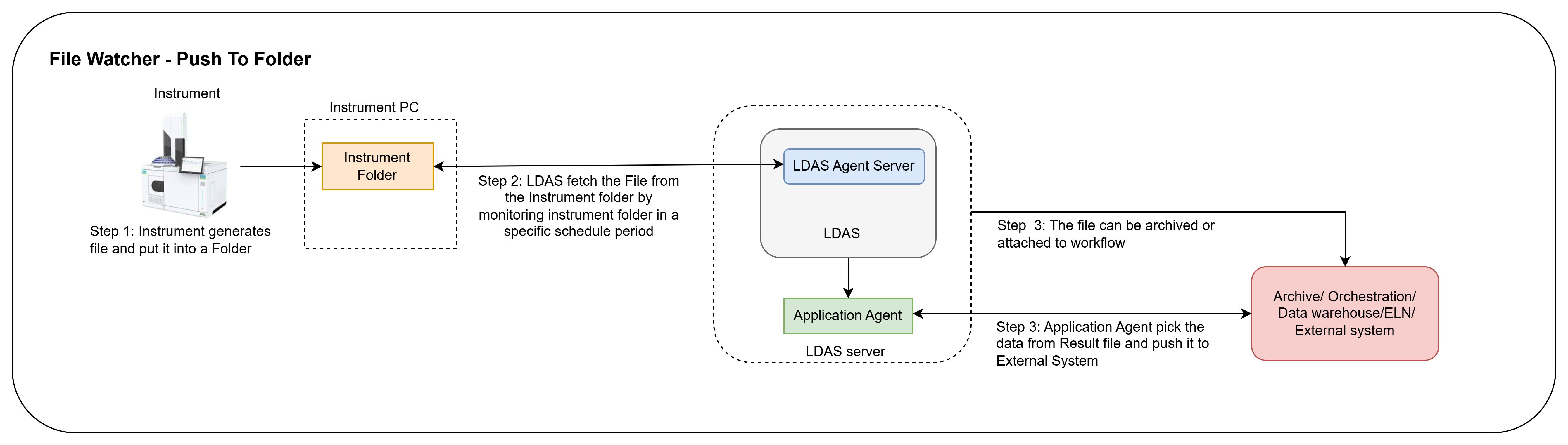
1. File Watcher - Push to Folder
When instrument data is stored as a file in a common directory, the LDAS Agent server will retrieve it at scheduled intervals.
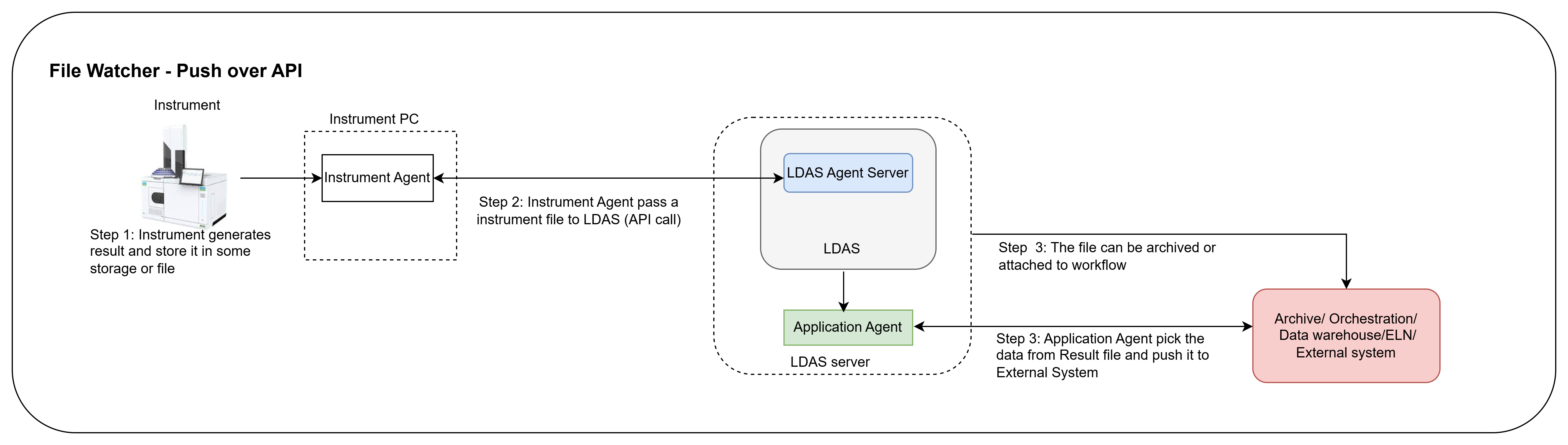
2. File Watcher - Push over API
When instrument data is stored as a file and sent to LDAS through an API call, File Watcher - Push over API can be utilized.
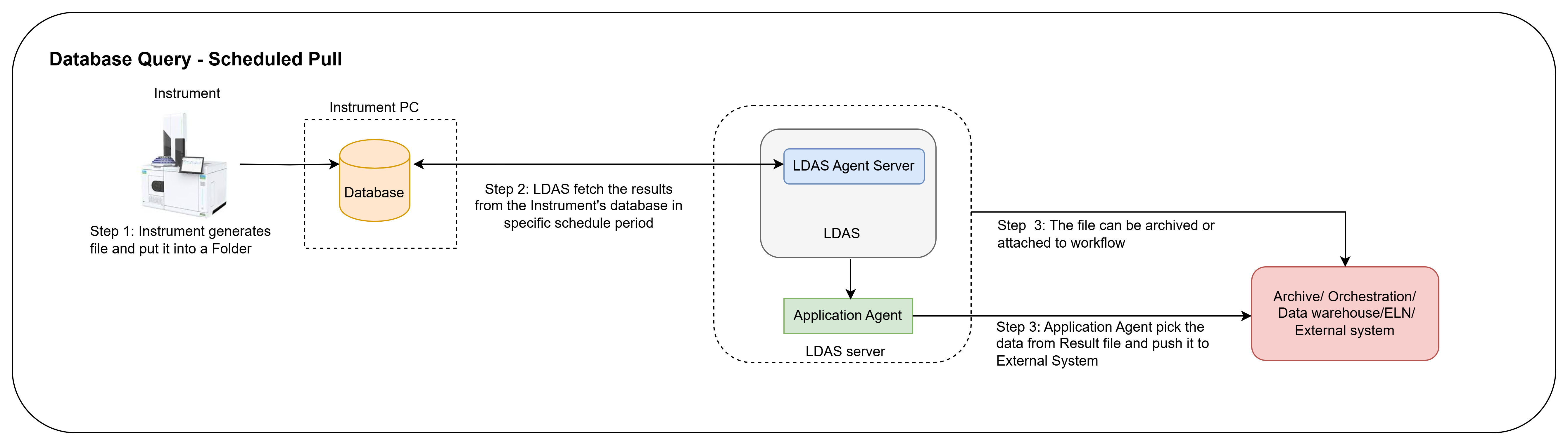
3. Database Query - Scheduled Pull
When instrument data is stored in Database, LDAS Agent will be retrieved using queries at scheduled intervals.
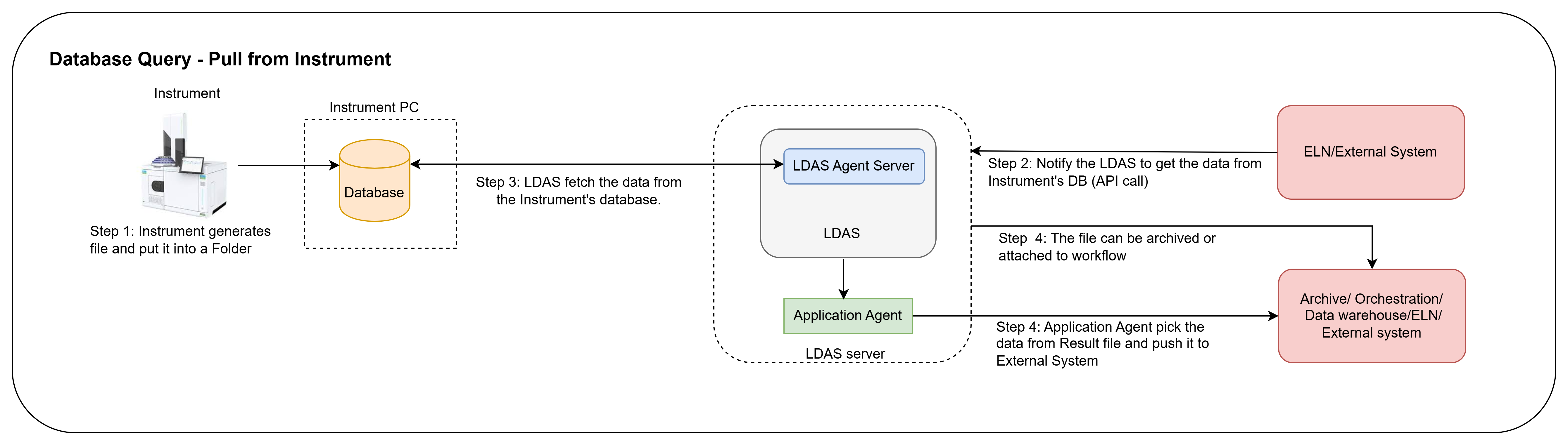
4. Database Query - Pull from Instrument
When instrument data is stored in Database, LDAS Agent will be retrieved using query through API call.
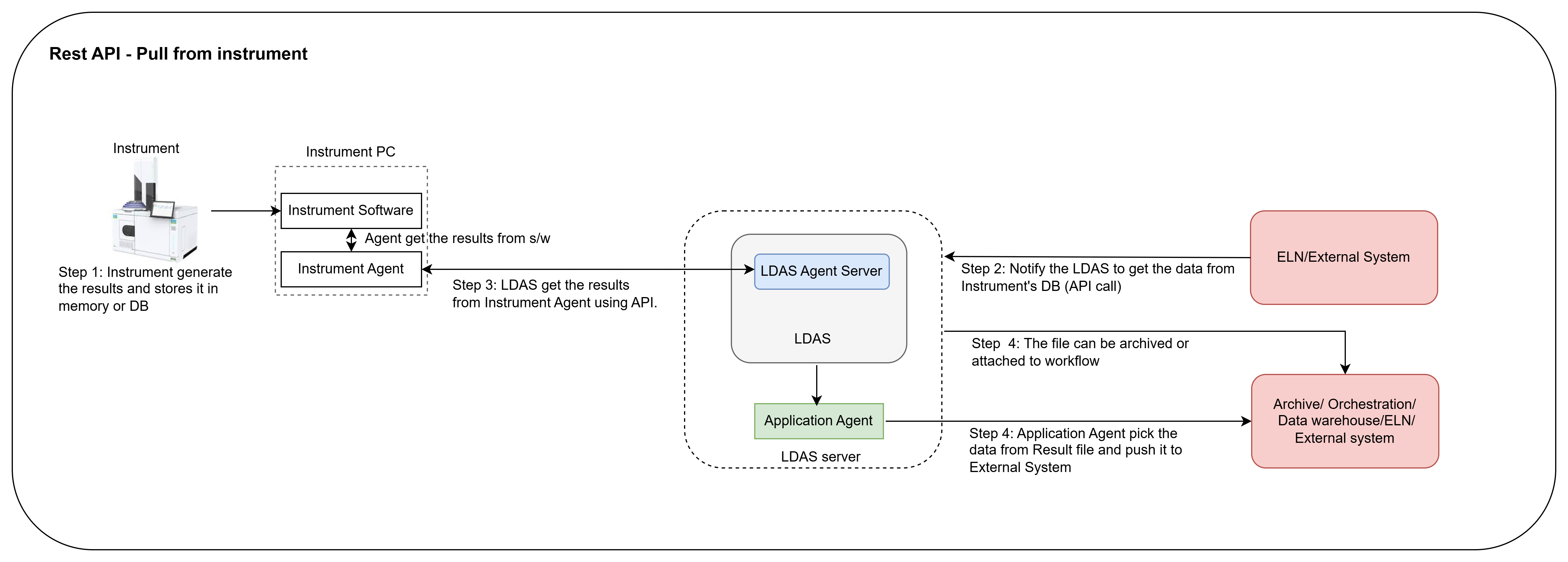
5. Rest API- Pull from Instrument
The LDAS Agent server will use an API call to retrieve data from the instrument stored in the instrument software through an instrument agent.
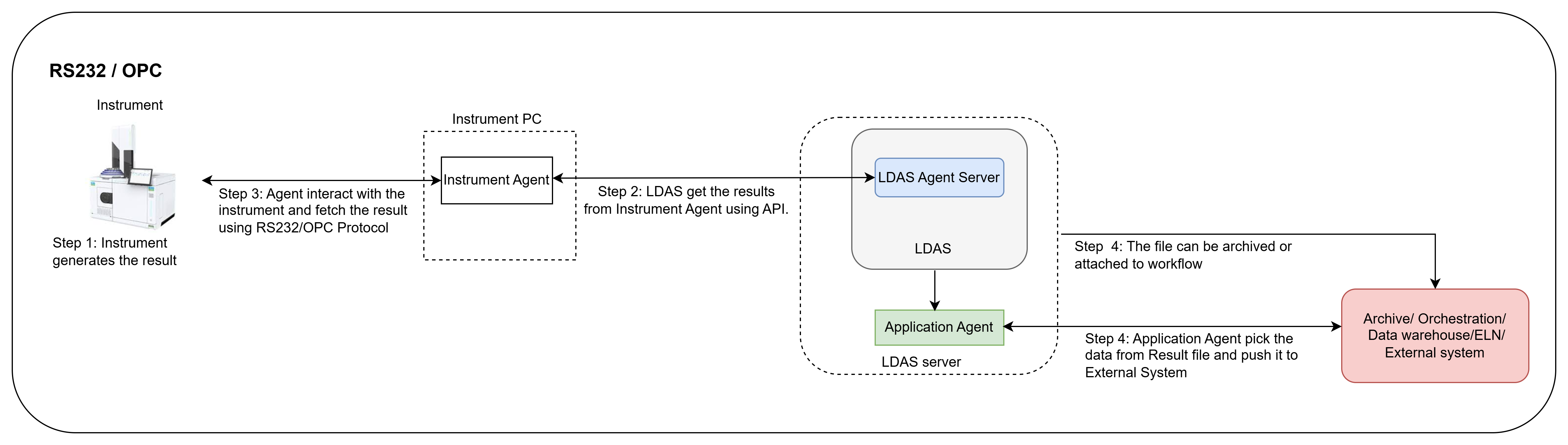
6. RS232, OPCUA and OPCHDA
Pull from Instrument - LDAS Agent server will fetch the instrument data using RS232/OPC protocols through an instrument agent.
Updated about 1 year ago